WHOIS / RDAP
Registration details
Available domain data from the registry or registrar, such as dates, nameservers and status.
Field availability varies by extension and publication policy. WHOIS EXTRA INFO
Give your domain your own identity. A logo, description and selected contact details alongside the easy WHOIS result.
Open Easy Console See how you appear
You choosewhich details to publish
Visitors see themalongside easy's WHOIS
You manage themthrough Easy Console
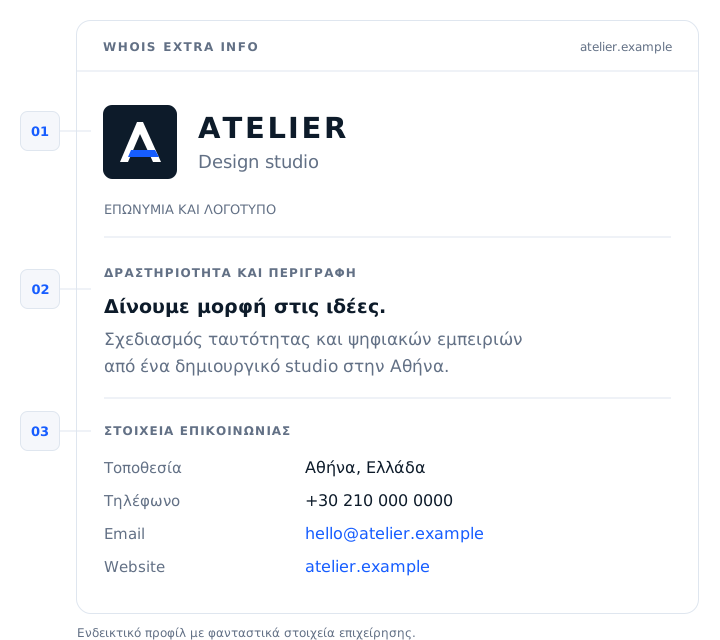
Your logo and company name give your domain an identity. Visitors can see which business or professional is behind it.
A short description of your business, services or the domain's purpose. You provide the context that a technical result cannot.
Publish the contact details where you want people to reach you. For example, your business email and phone number, address or website.
The details are selected by the administrator and displayed publicly.
Available domain data from the registry or registrar, such as dates, nameservers and status.
Field availability varies by extension and publication policy.Additional content you choose for your domain, in a separate area of the easy result.
Extra Info appears in easy's WHOIS. It does not publish your presentation in registries or other providers' WHOIS tools.
The service can be activated for domains you manage at easy. Their presentation starts in the same place where you manage them.
Sign in to Easy Console and open the domain you want to present.
Select the service and follow the activation process.
Add whatever you want displayed and save your profile.
What appears, where it appears and who chooses it.
No. Extra Info is the optional presentation you add to easy's WHOIS. Domain Privacy concerns the publication of registration details, where supported. Enabling Extra Info does not change its settings.
Yes, for a .GR domain you manage with easy. The details you select appear in easy's additional panel, independently of the information published by the registry.
The Extra Info presentation appears in easy's WHOIS result. It is not automatically transferred to other WHOIS tools or registry RDAP responses.
You choose the details you want to display. For example, you can showcase your business and a professional contact method. Use information you want to be public.
Content is added by the domain administrator, who is responsible for its accuracy. Extra Info is not business certification or proof of ownership.
Add the image and information you want to accompany it.